.png)
How can I track global usage of the company gifting wallet as an admin?
Head to the Company gifting wallet page to see exactly how each budget is being used across the organisation.
- Go to the Company gifting wallet page
- Check your Company wallet balance to see how much is left overall
-
Under Budgets, check each budget's Available balance and how much has been Spent this cycle
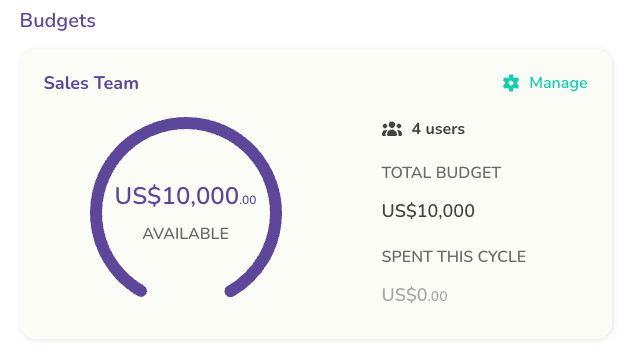
Budget overview - Click Manage on any budget to see its full details and the users assigned to it
- Scroll to Wallet transaction history to see every contribution, top-up, and refund
Each row in the transaction history shows the type, amount, user, description, budget, date, and invoice, so you can see exactly who's using which budget and how much they've spent. Filter by Type, Budget, or Date, or click Export to CSV to work with the data elsewhere.
