.png)
How can I update the company gifting wallet budgets?
You can update the budget's settings or the users added to it at any time.
How to update the budget's settings?
- Go to the Company gifting wallet page
-
Click Manage on the budget you want to change
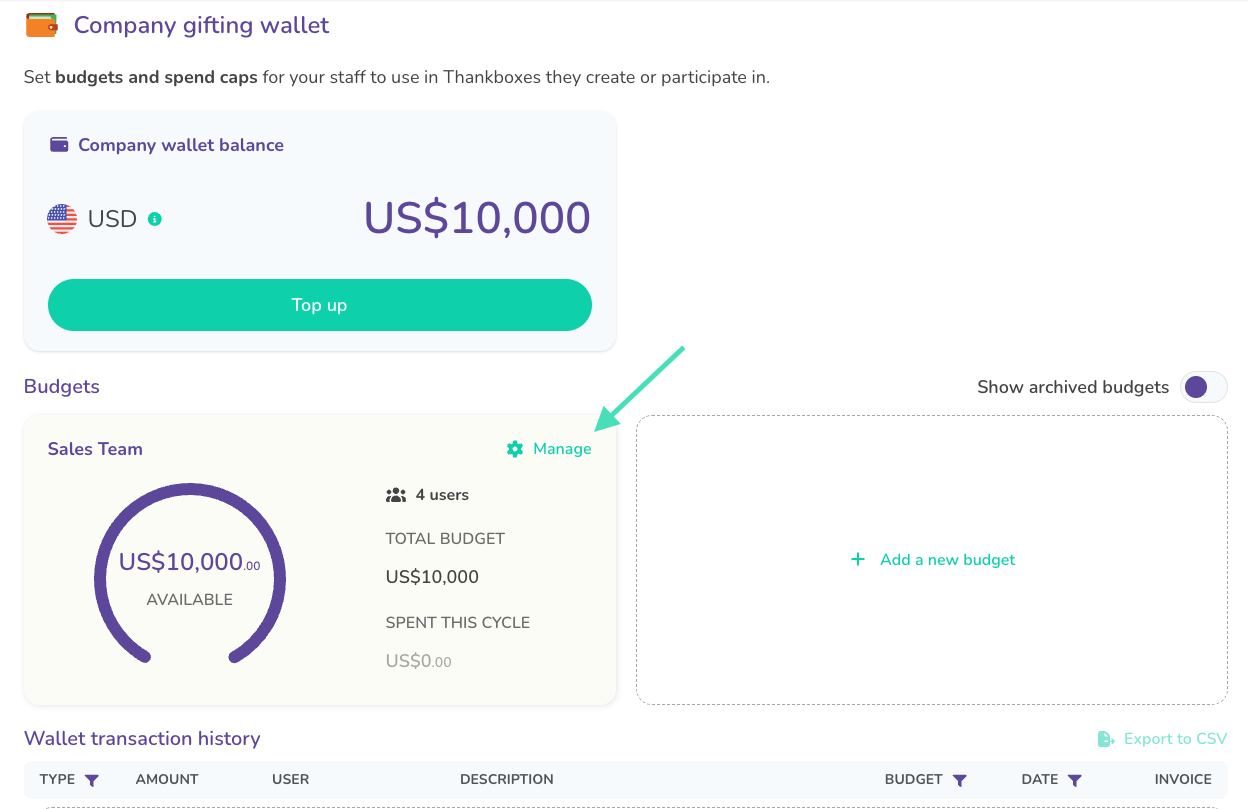
Managing a budget -
Click Edit next to Budget details
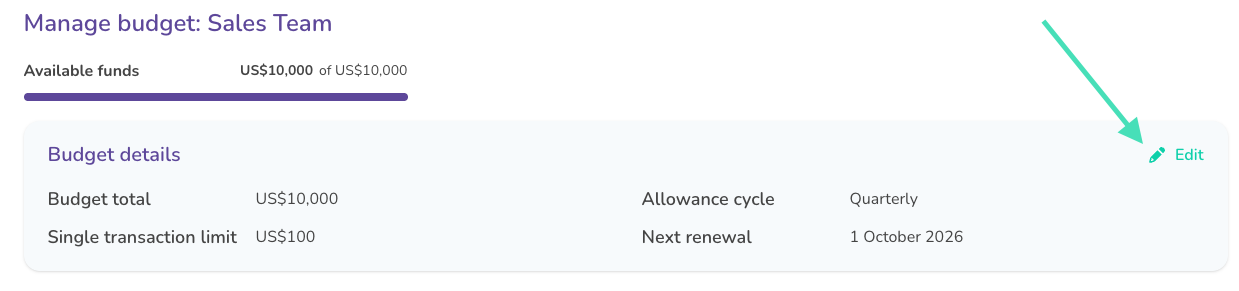
Editing a budget - Update the Budget total, Single transaction limit, or Allowance cycle
- Save your changes
How to add or remove users from a budget?
- Open the budget from the Company gifting wallet page
- To add someone, use Add users and select them
- To remove someone, click Remove next to their name
Users can only belong to 1 budget at a time. Adding someone who’s already on a different budget will move them to the selected one.
